9:41
Lunch rush · Counter
Captains and cashier together
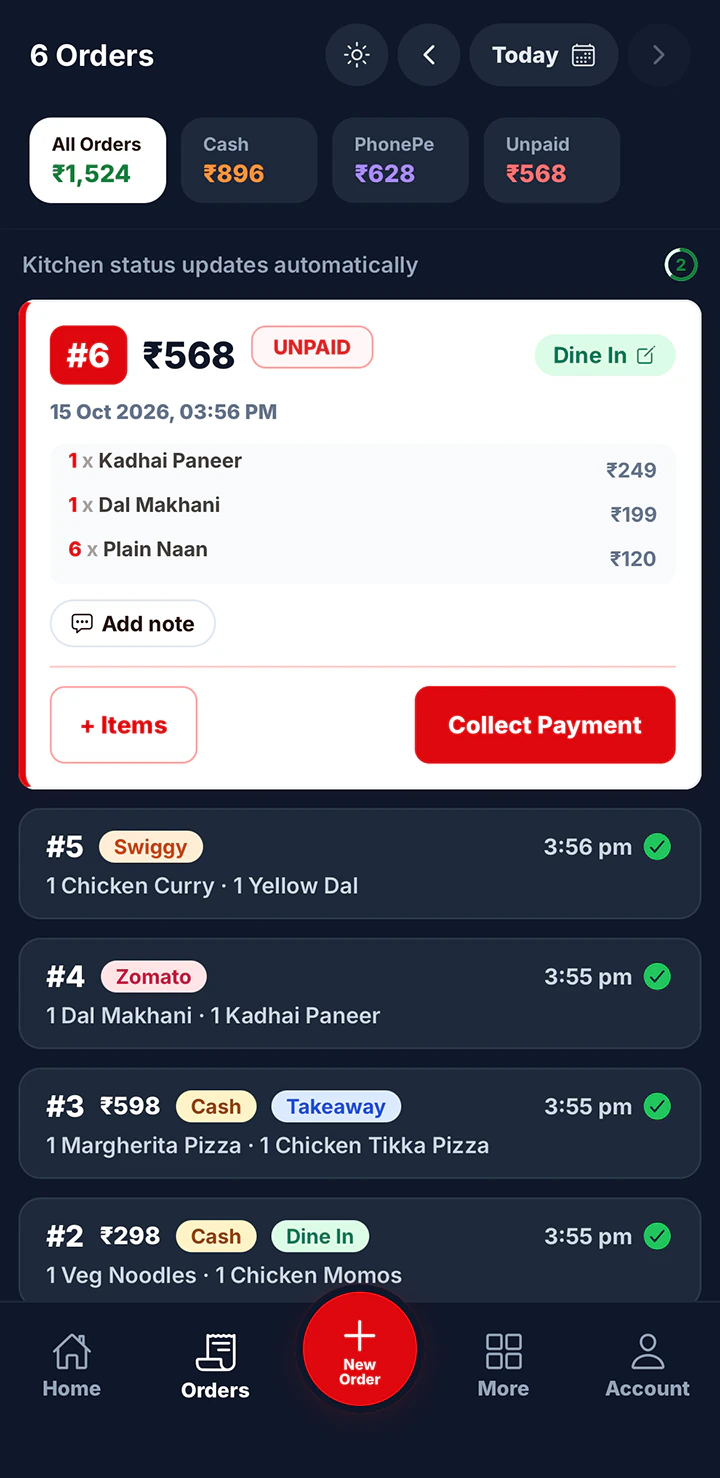
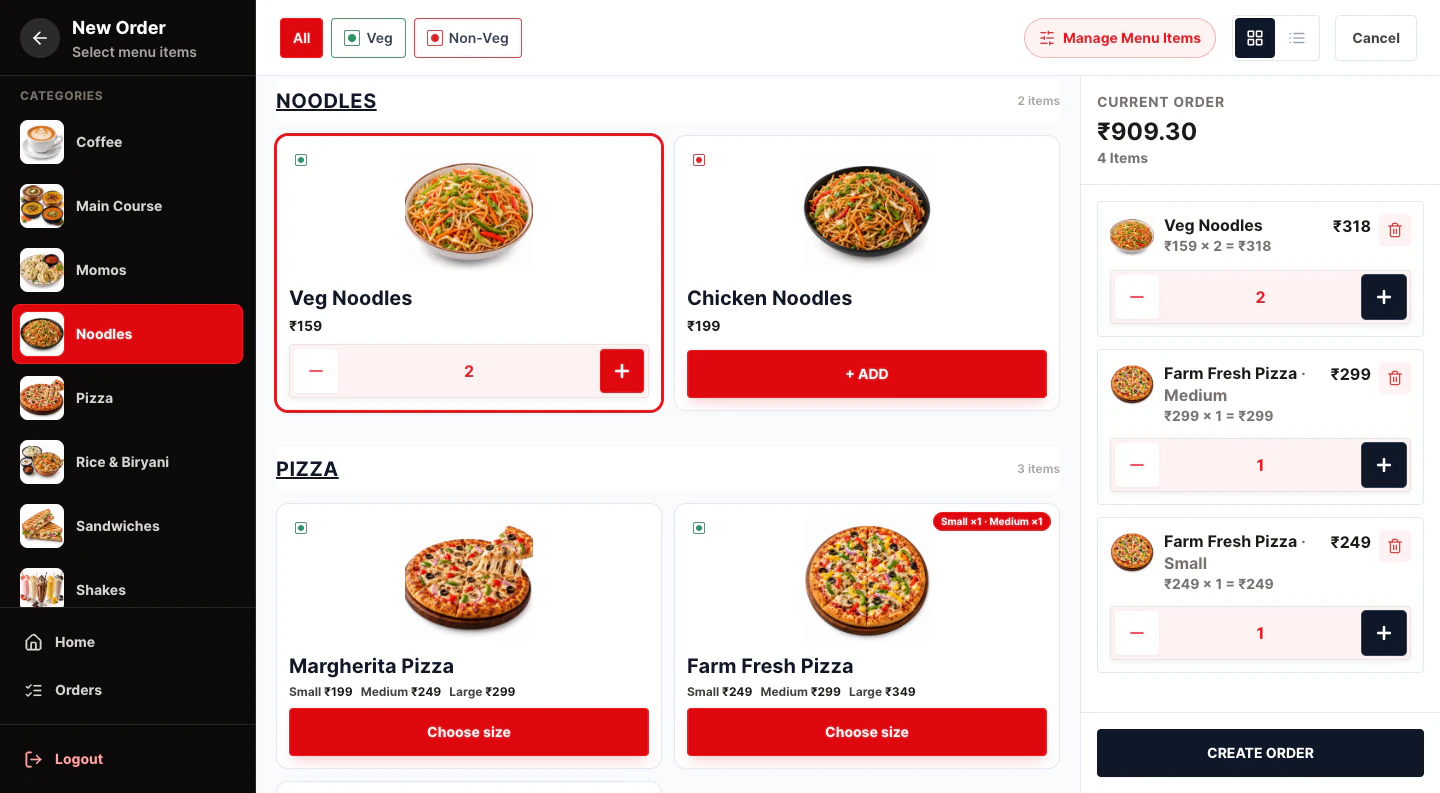
Two captains take orders on their phones while the cashier handles takeaway at the counter computer. All three see the same menu and prices.
Yes Sir Yes Mam connects the people who run your restaurant. The counter takes the order, the kitchen sees it on a screen, staff log in with their own PIN, and you watch it all from your phone.
Paper KOTs go missing and verbal orders get misheard during the rush.
Every order appears on the Kitchen Display the moment it’s taken.
Shared passwords mean you can’t tell who did what, or cut off someone who left.
Each person gets a login code and PIN. Switch it off when they leave.
A fixed POS terminal means staff walk back and forth to it for every order.
Phones, tablets and the web app all work on the same account.
On a phone, tablet or the web app at the billing desk.
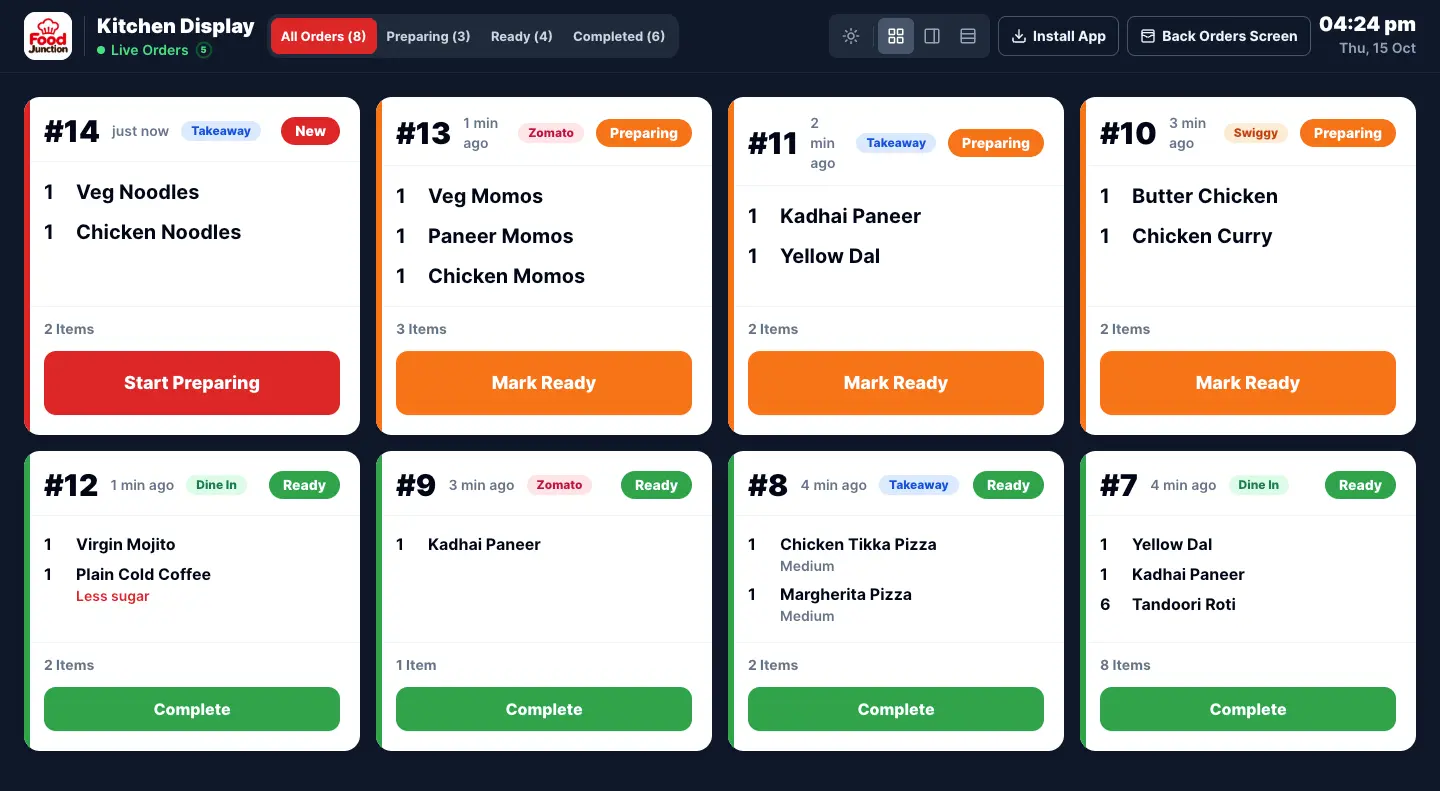
The order appears on the Kitchen Display. Cooks tap Preparing, then Ready.
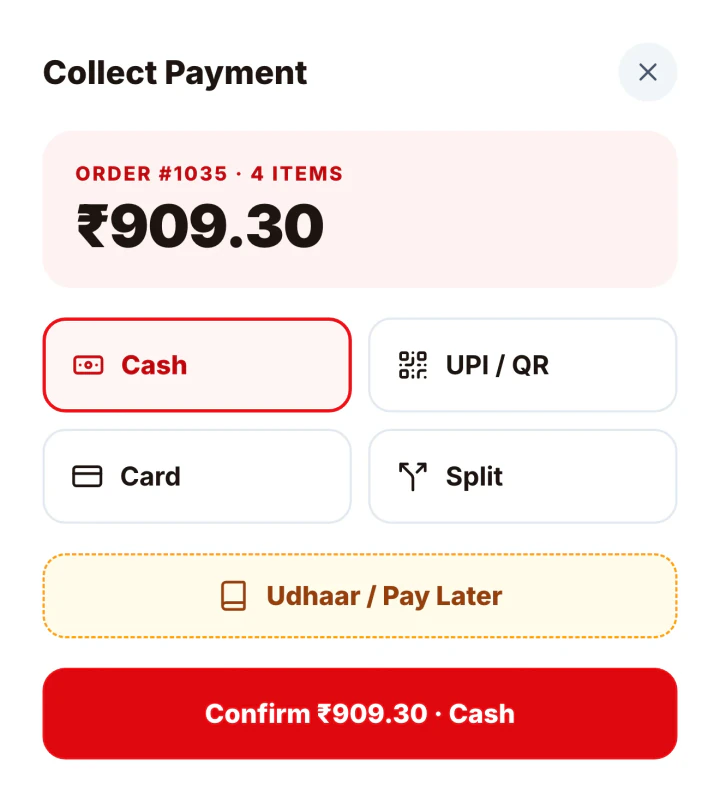
Record how the customer paid and the order joins today’s sales.
Orders on a kitchen screen instead of paper KOTs.
Learn more →A login code and PIN for each staff member.
Learn more →FeatureDine In, Takeaway, Zomato and Swiggy orders in one list.
Learn more →FeatureMenu library, your prices and your own categories.
Learn more →FeatureTake orders from any device on the same account.
Learn more →FeatureLive sales on the owner’s phone.
Learn more →There is no POS terminal to buy. Each part of the restaurant uses whatever screen suits it.
The web app on a computer or tablet at the billing desk.
Phones for taking orders at the table.
A tablet or TV browser showing the Kitchen Display.
Your own phone for sales, expenses and staff, from anywhere.
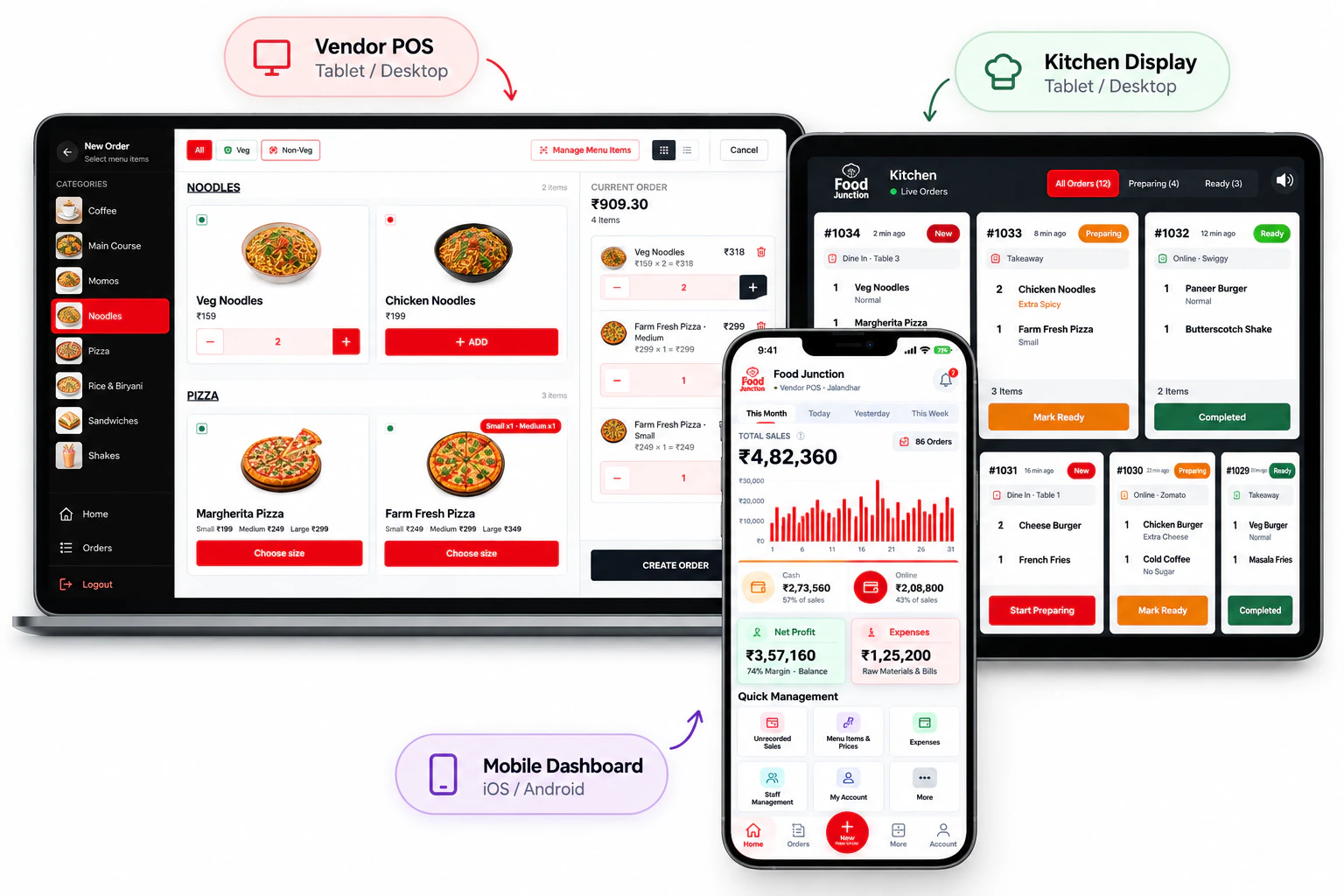
Lunch service at a restaurant with a counter, captains and a kitchen. Every screen here is from the app.
Two captains take orders on their phones while the cashier handles takeaway at the counter computer. All three see the same menu and prices.
A wall-mounted tablet lists every order as it comes in. The cook marks each one Ready, and the counter knows what to hand out.
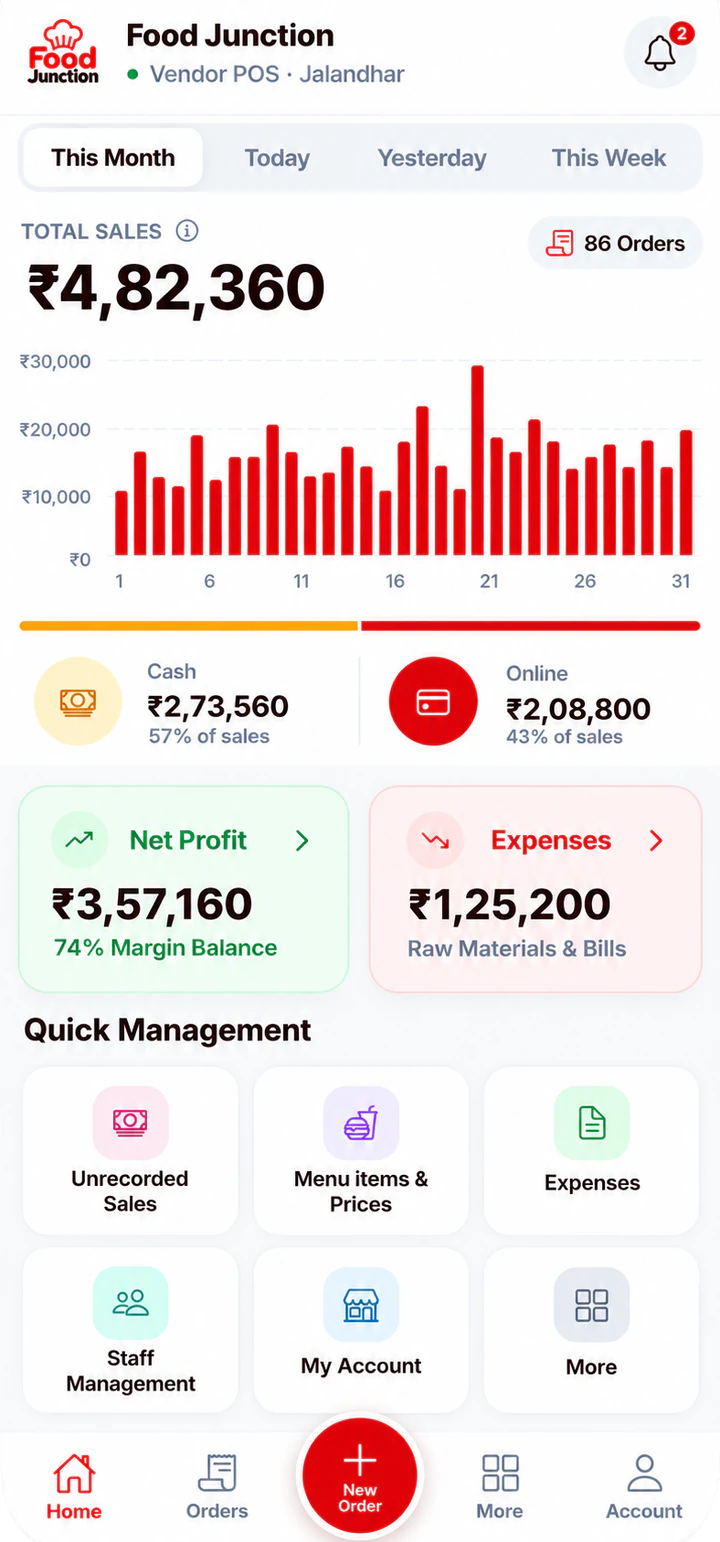
Between stops you open the app and see lunch sales climbing, split between cash and online.
Restaurant Pro, because the Kitchen Display, staff logins and order types are what turn billing into a POS for a team. Starter suits an owner billing alone.
Compare plans →Prices exclude 18% GST. Billed monthly through UPI AutoPay.
No. Use phones, tablets and computers you already have. Everything runs in the app or the browser.
Use the same account on several devices at once: counter, kitchen and your own phone.
Not yet. Orders can be tagged as Dine In, but tables are not mapped.
Staff log in with their own code and PIN to take orders. Reports, expenses and settings stay with the owner account.
Bill every order from a phone, tablet or computer.
Read more →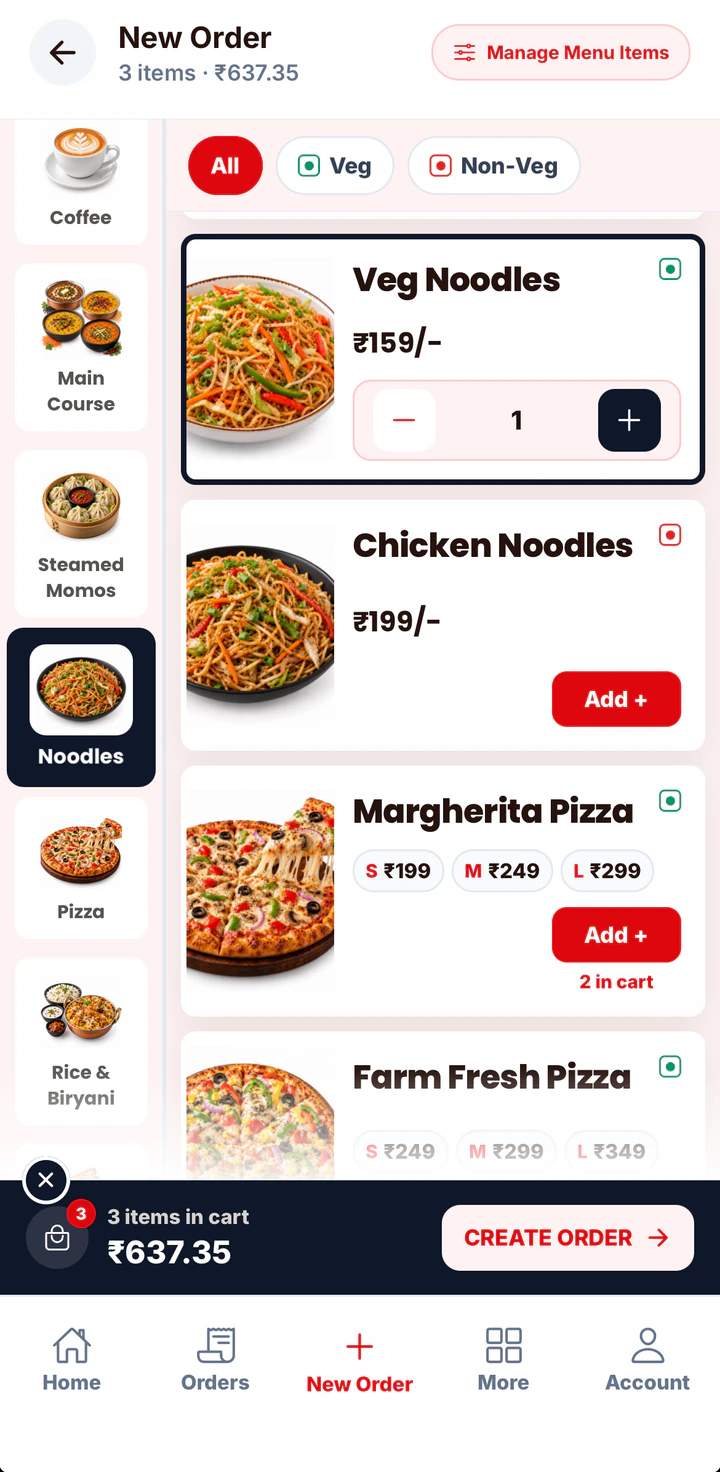
In a quick service restaurant, every second at the counter is a customer waiting.
Read more →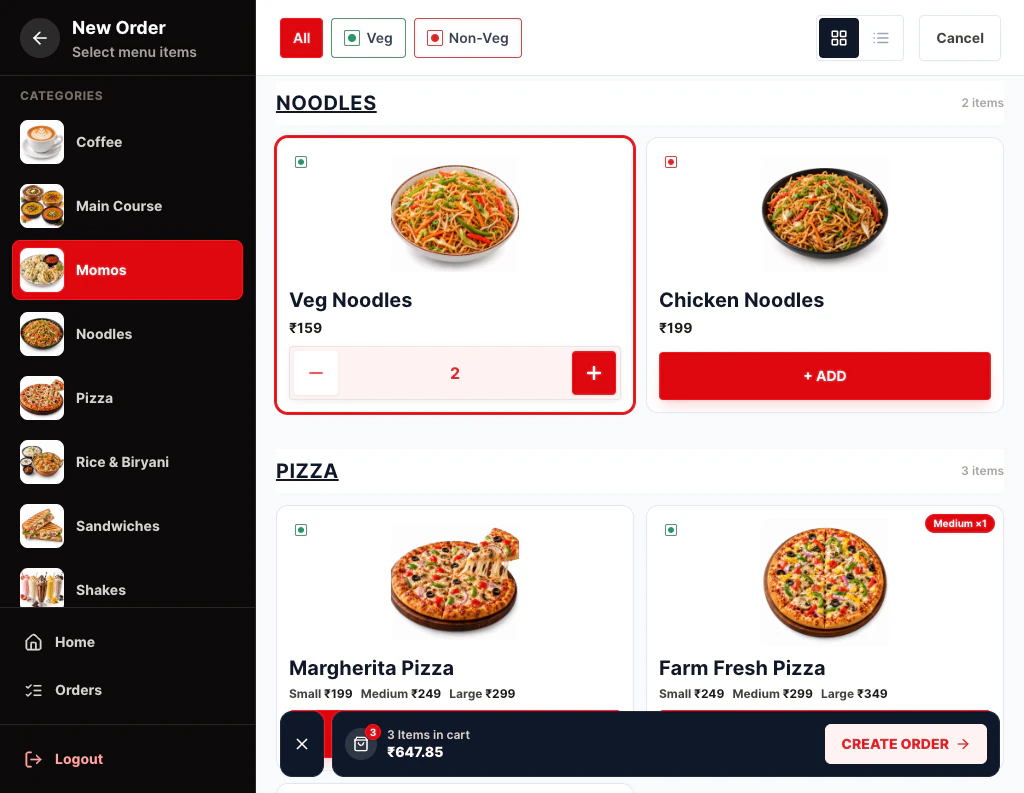
Cafés live on quick orders and familiar faces.
Read more →Set up your menu, add your staff and open the Kitchen Display on any tablet.