From your first menu item to the customer’s bill.
Yes Sir Yes Mam connects your menu, counter, kitchen and reports in one app. Here is how a normal day runs, step by step.
Up and running in four steps
- 01RegisterSign up with your mobile number and business name, and verify the OTP.
- 02Add details & menuPick your business type and city, then choose items from the menu library.
- 03Choose a planStarter or Restaurant Pro, with monthly UPI AutoPay.
- 04Take your first orderOpen New Order, tap your items and record the payment.
What happens at each step
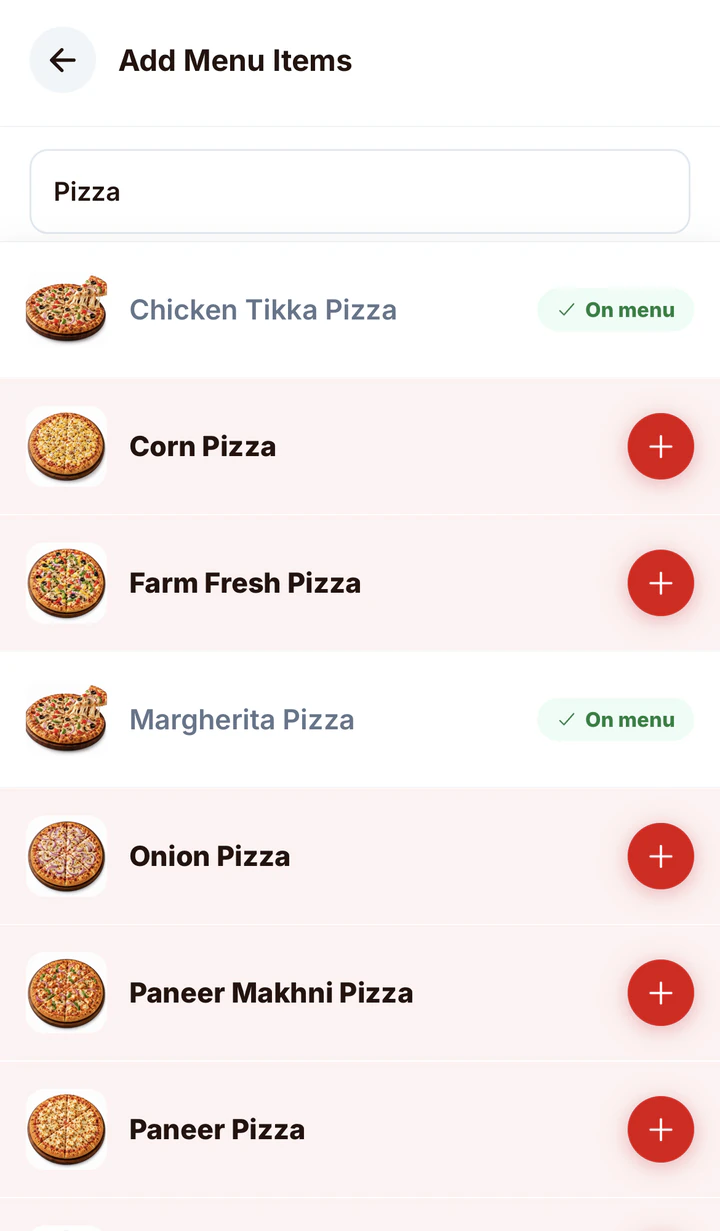
Add your menu
Search the menu library for what you sell. Photos, names and Veg / Non-Veg marks are ready, so you only set your price.
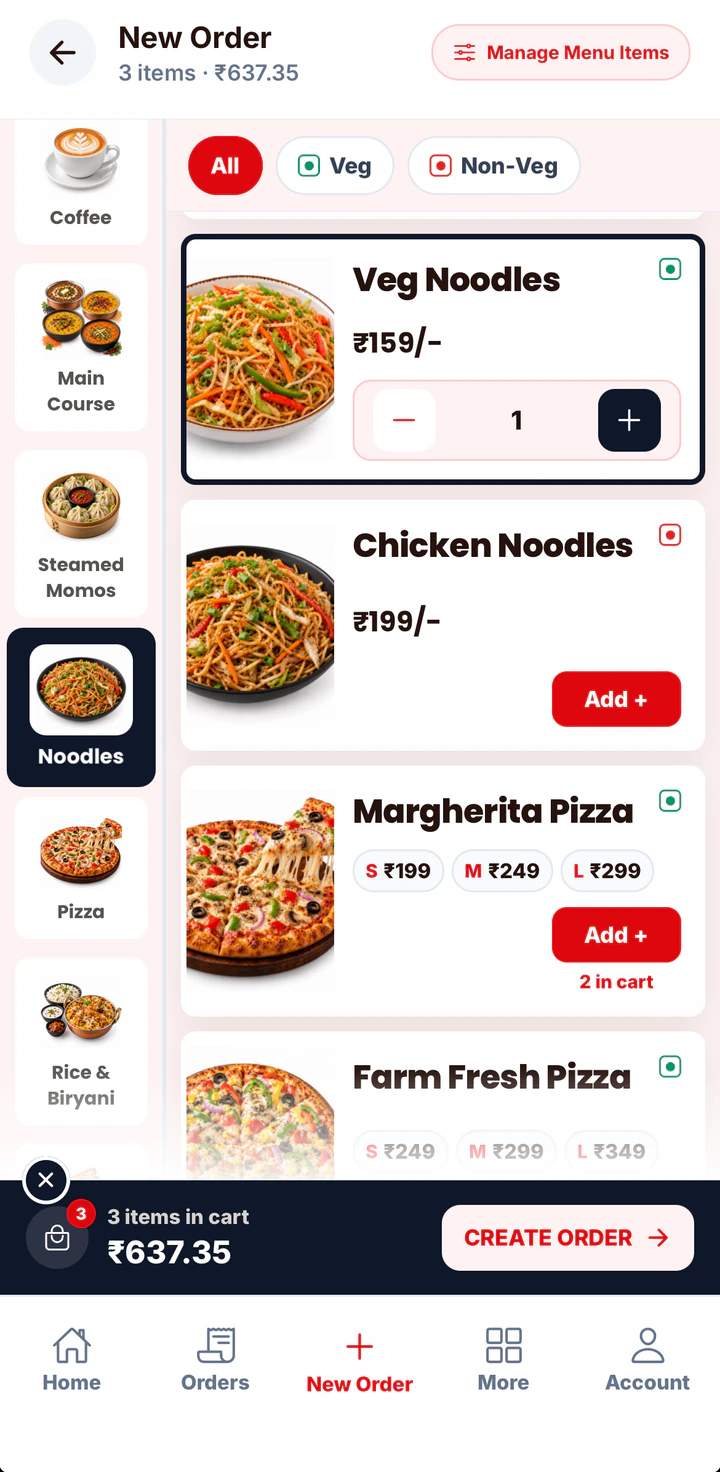
Take orders
Tap item photos to build the order on a phone, tablet or computer. Edit it if the customer changes their mind.
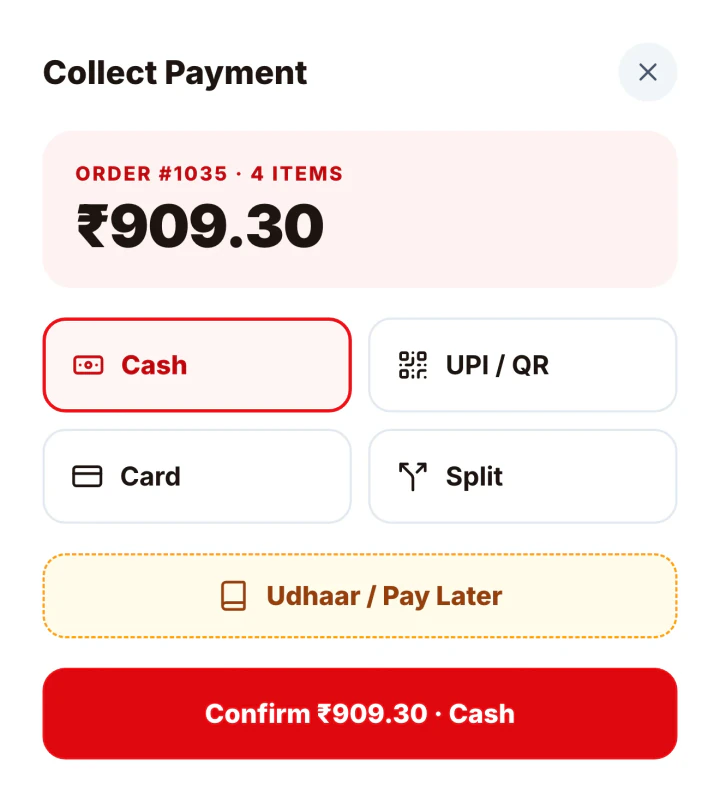
Collect payment
Record Cash, UPI / QR, Card, Split or Udhaar on every order. The change calculator works out what to give back.
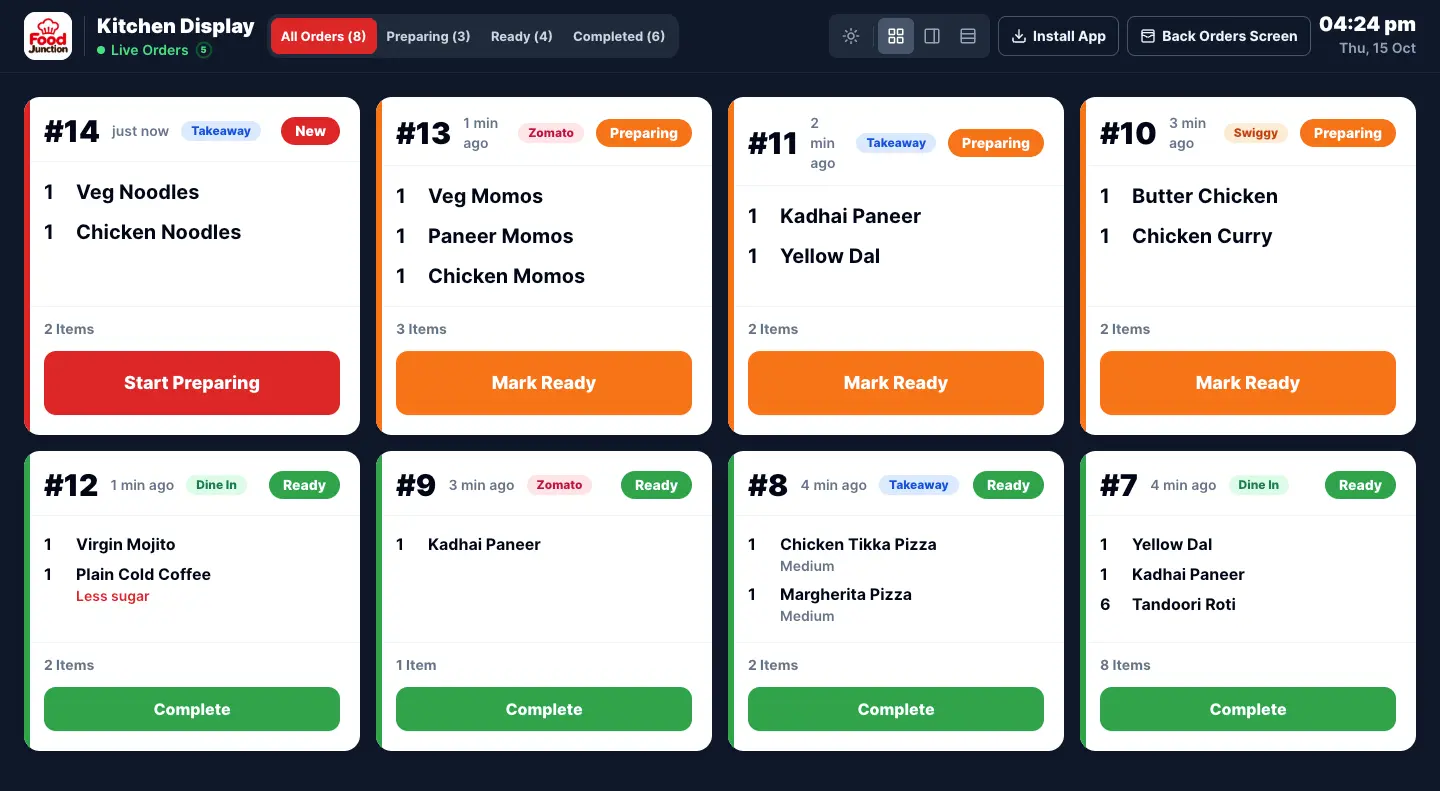
Run your kitchen
Give cooks their own login and open the Kitchen Display on any tablet. Orders appear the moment they’re taken.
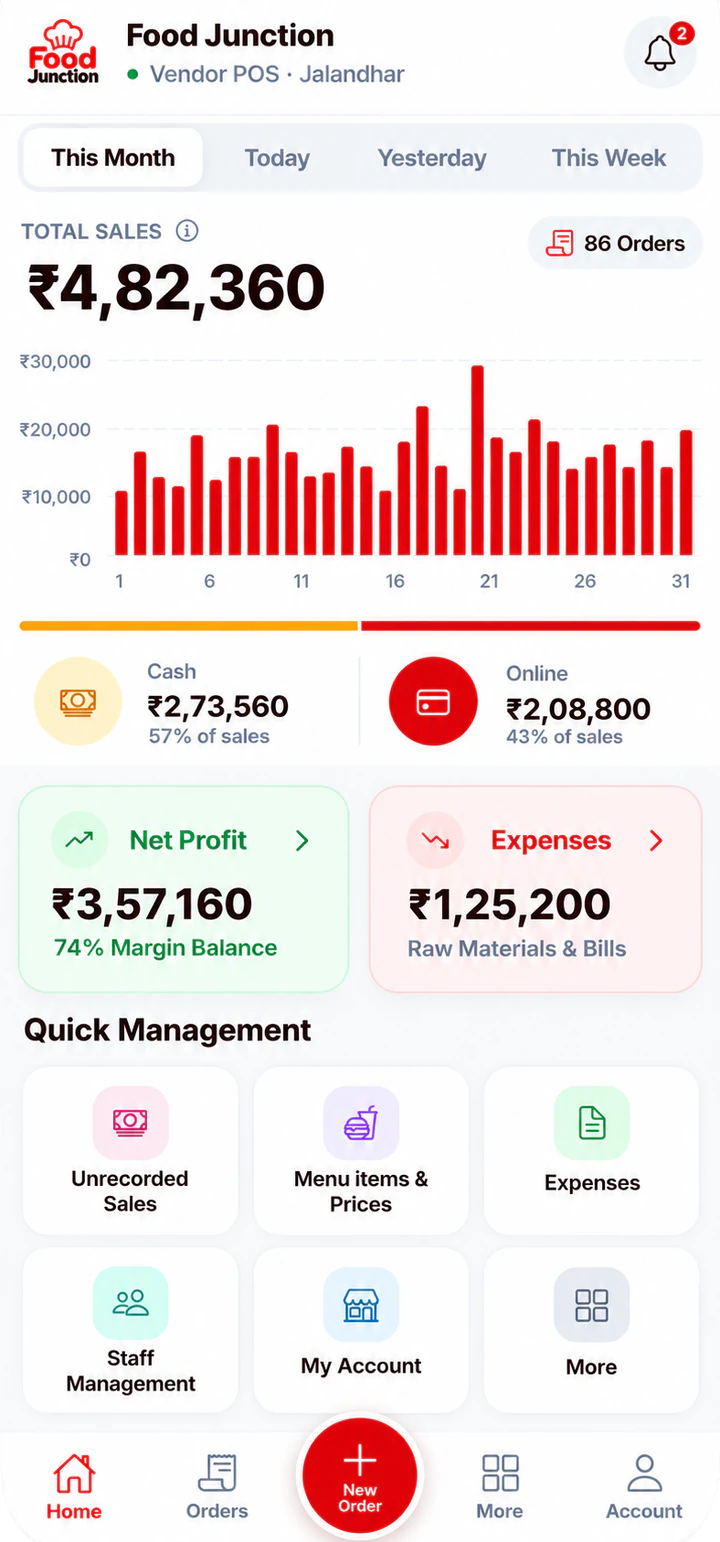
Track your business
Today’s sales, cash vs online, expenses and profit on the dashboard. Add unrecorded sales for days you didn’t bill.
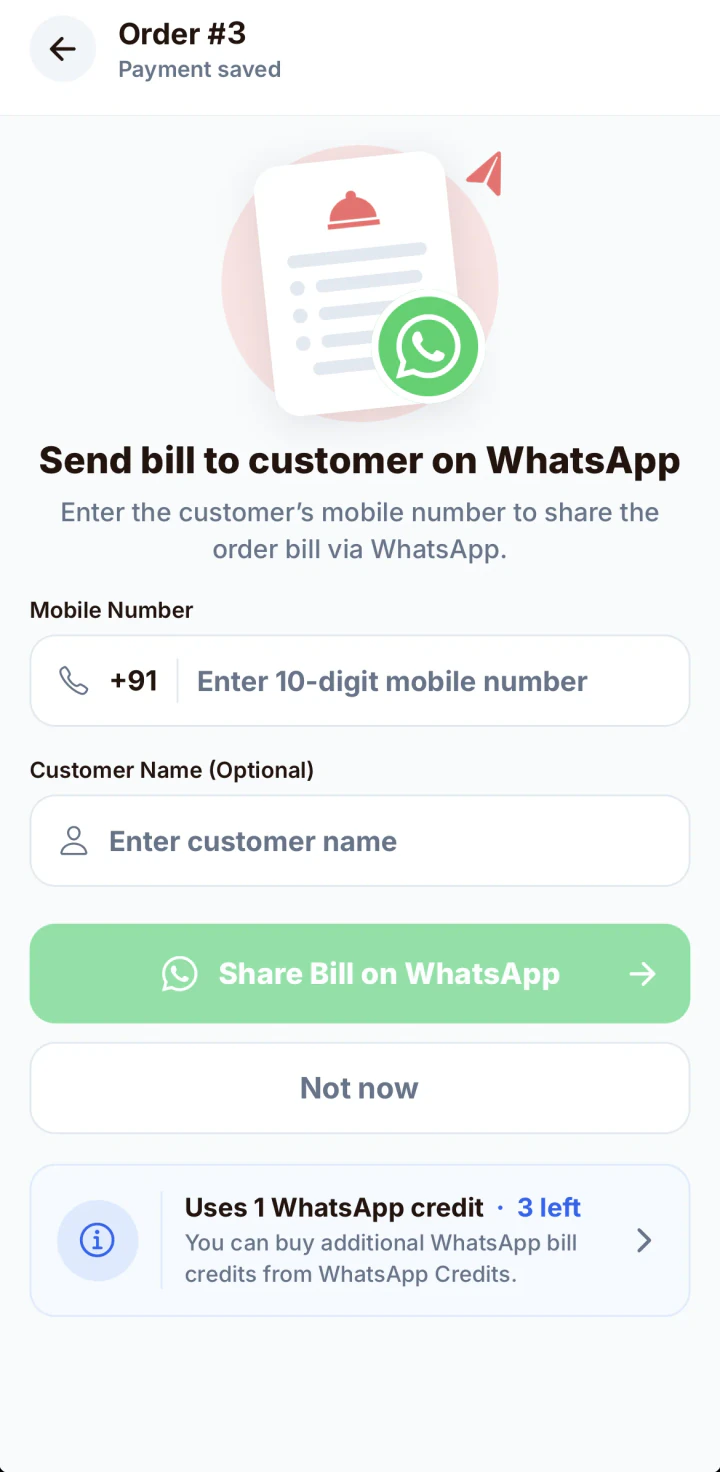
Send bills
Share a digital bill to the customer’s WhatsApp after payment. With GST billing on, it’s a numbered GST invoice.
Do I or my staff need training?
No. If you can use WhatsApp, you can take an order. Big photos and buttons do the rest.
How long does setup take?
Registering takes a few minutes. Adding your menu from the library is usually the longest step, and you can add more items later.
Which devices can I use?
Any phone, tablet or computer with a browser, all on the same account.
Can I start on Starter and upgrade later?
Yes. Move to Restaurant Pro from the Subscription page when you add staff, a kitchen screen or GST bills.
Set up your counter today
Register, add your menu and take your first order in a few minutes.