
9:41
7:00 PM · Take the order
Order at the table
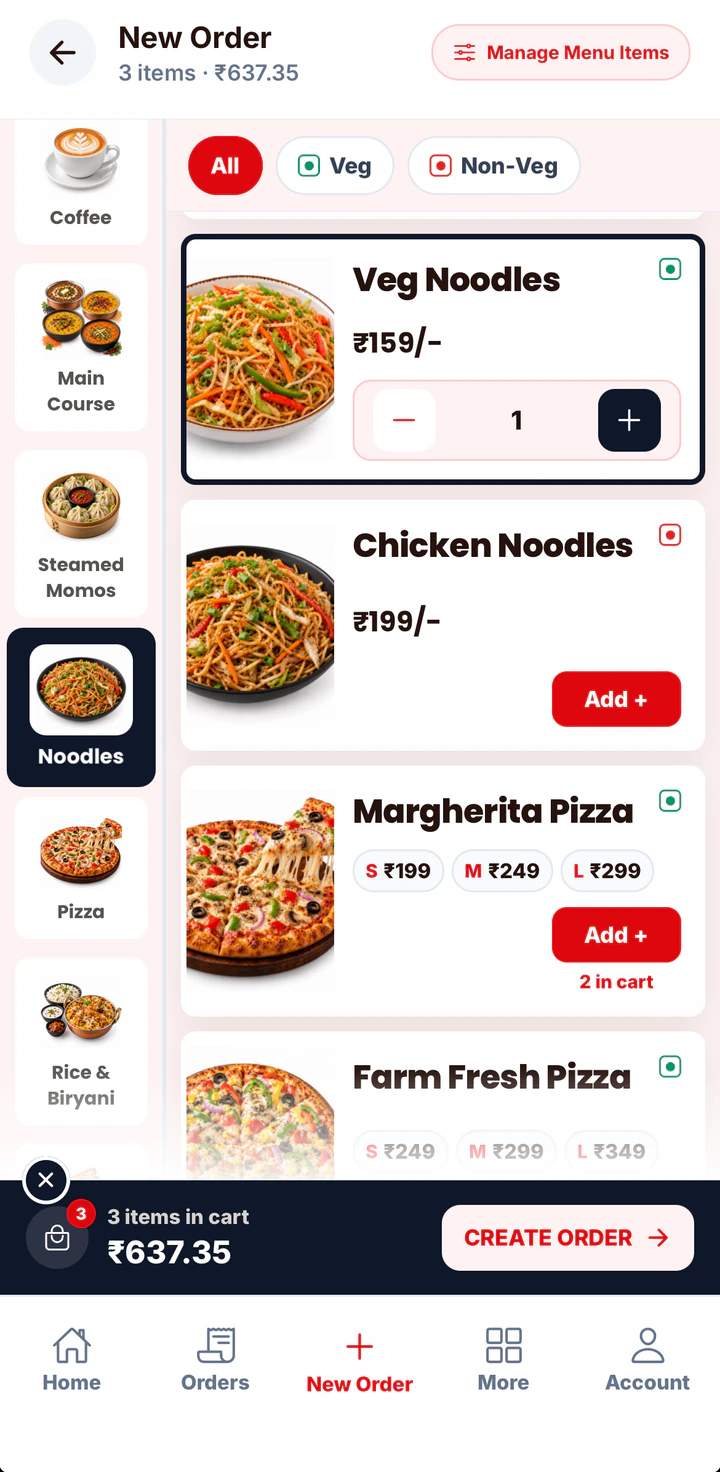
The first tables order. Your captain takes the order on a phone at the table and it reaches the kitchen screen before they are back at the pass.
Bill every order from a phone, tablet or computer. Record how each customer paid, send GST bills to WhatsApp, and close the day knowing exactly what came in.
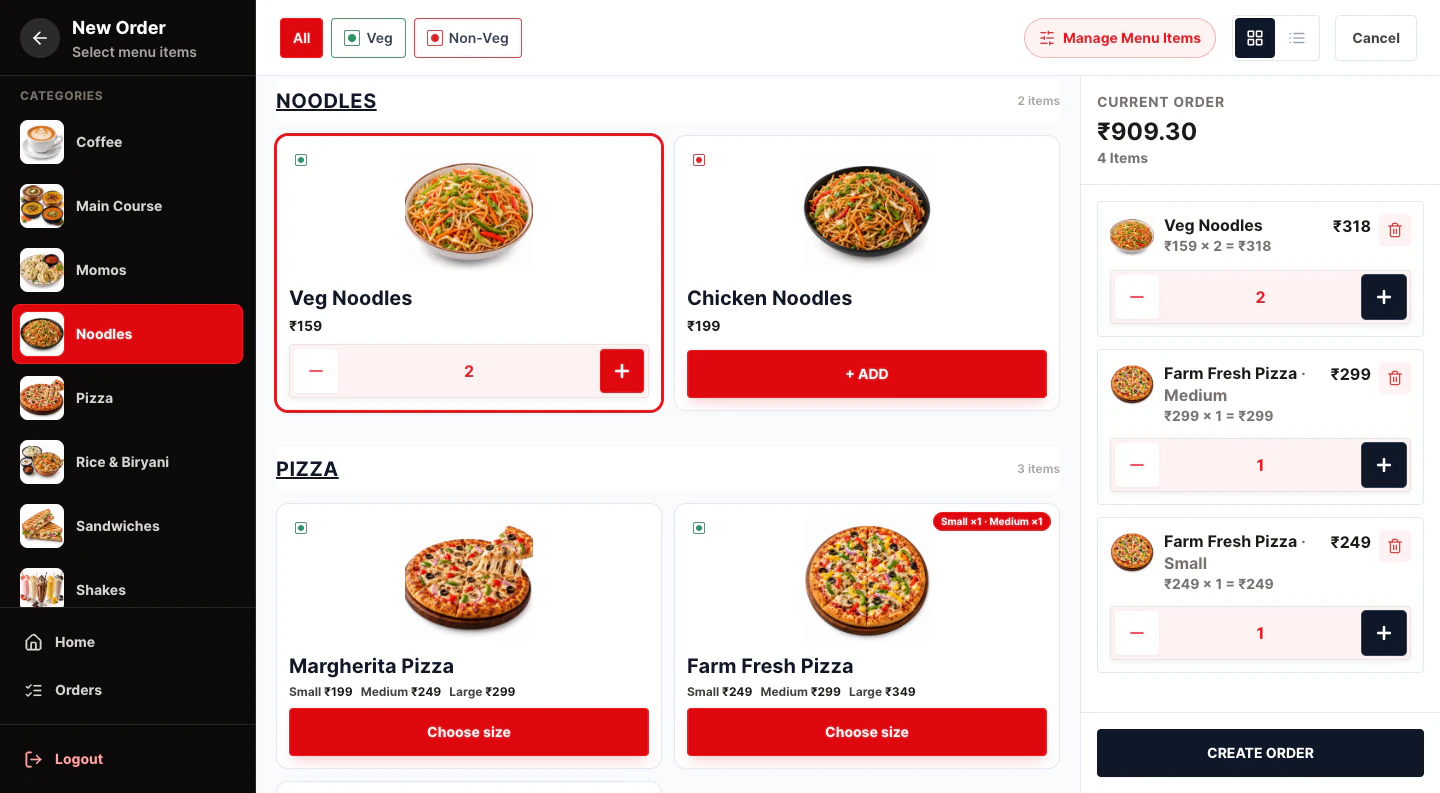
When billing only happens at one desktop, every order waits for it. A phone in each staff member’s hand clears the queue.
Staff bill from their own phones on the same account.
Handwritten bills and a mix of cash, UPI and card make closing time a guessing game.
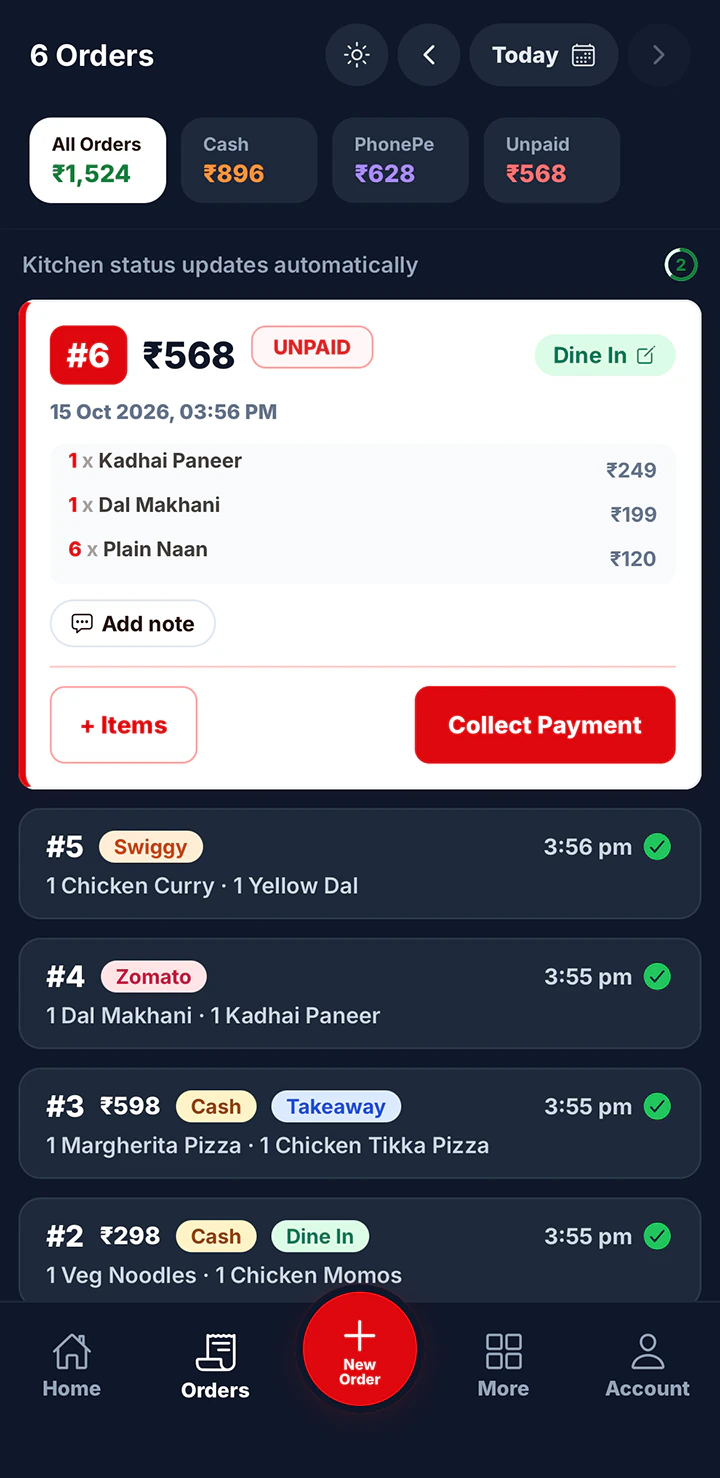
Cash, UPI, card, split and udhaar add up to today’s totals.
Paper bills get lost, and customers who want a GST invoice have to wait for it.
Numbered GST invoices sent to the customer’s phone.
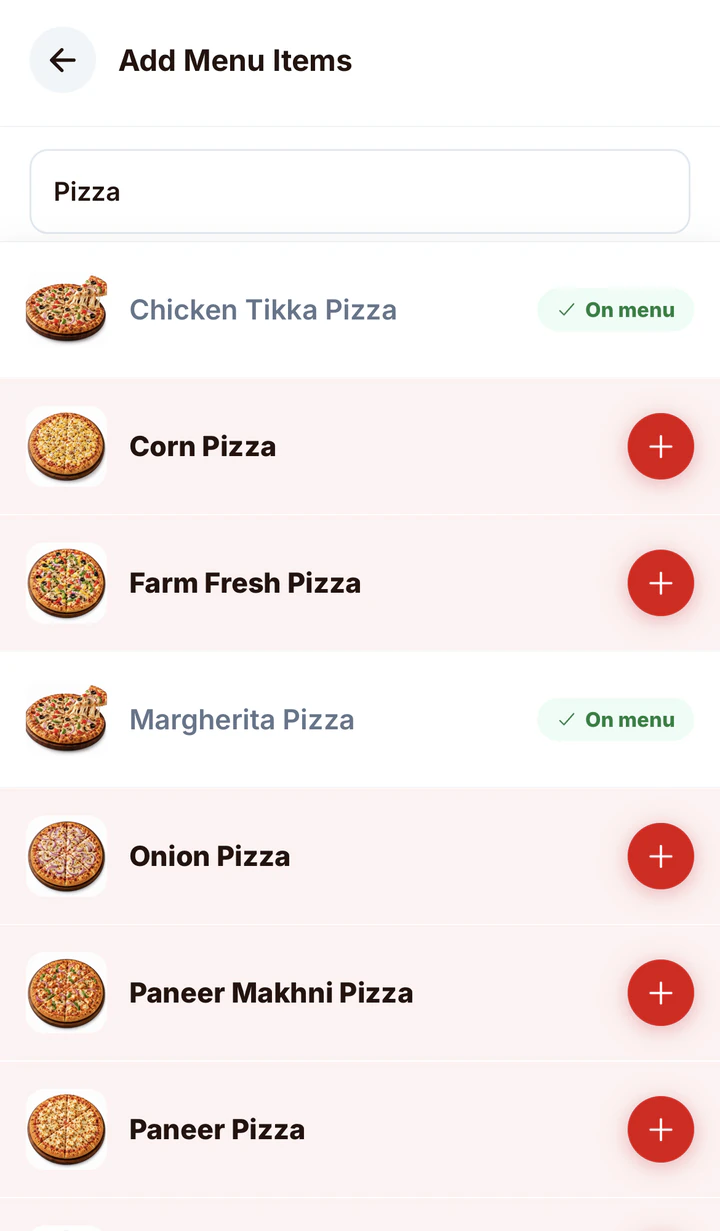
Pick dishes from the menu library and set your prices. No typing every item from scratch.
Tap item photos to build the order and confirm. On Restaurant Pro, it goes to the kitchen screen too.
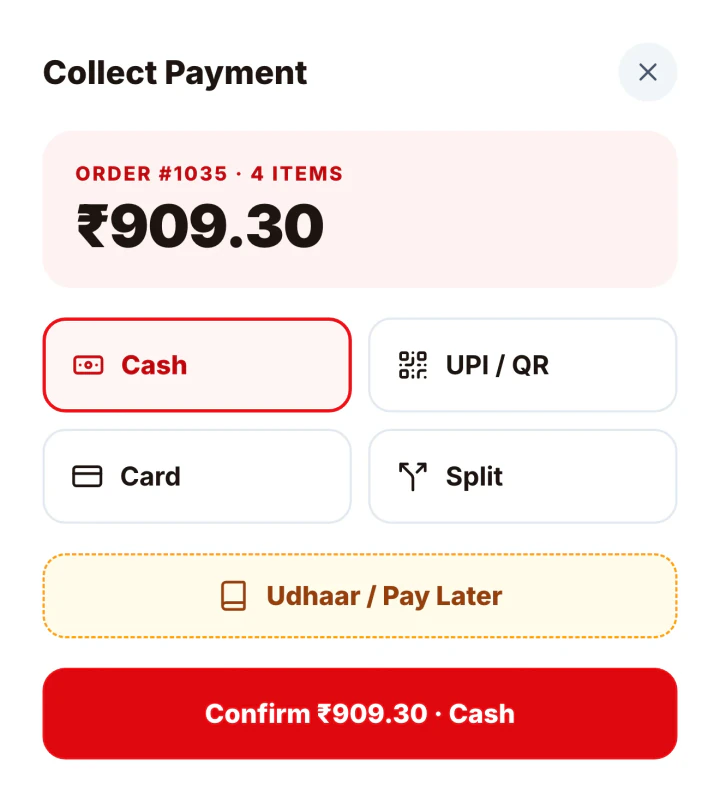
Pick Cash, UPI / QR, Card, Split or Udhaar. Today’s totals update on the spot.
Bill from any phone, tablet or computer on one account.
Learn more →Cash, UPI, card, split bills and change calculation.
Learn more →Feature RESTAURANT PRONumbered GST invoices with CGST and SGST worked out.
Learn more →Feature RESTAURANT PROSend the bill to the customer’s WhatsApp. 50 bills a month included.
Learn more →FeatureToday’s sales, cash vs online, expenses and profit.
Learn more →FeatureUdhaar and customer-wise dues for regulars.
Learn more →Whichever software you choose, check these before you pay for it.
Count the taps from first item to paid bill. Photo menus are faster than item codes for most staff.
Software that runs on a phone or browser saves you buying a billing PC and keeps working when one device fails.
Cash, UPI, card, split bills and udhaar should all be recorded against the order, not in a separate notebook.
You should be able to switch on GST invoices when you register, without changing software.
Look for one monthly price that includes GST, with no installation or hardware charges hidden in it.
Daily sales and the cash vs online split should be one tap away, on the phone you carry home.
| Yes Sir Yes Mam on your phone | Traditional billing PC | |
|---|---|---|
| Hardware | Your existing phone, tablet or computer | Desktop or billing machine to buy |
| Set-up | Register and add your menu yourself | Installation visit is common |
| Billing from | Anywhere in the restaurant | The billing desk |
| Checking sales | From your phone, wherever you are | At the billing desk |
| Printed bills | Not yet. Digital bills on WhatsApp instead | Yes, with a printer |
One evening at a busy restaurant, from the first order to closing the drawer. Every screen here is from the app.
The first tables order. Your captain takes the order on a phone at the table and it reaches the kitchen screen before they are back at the pass.
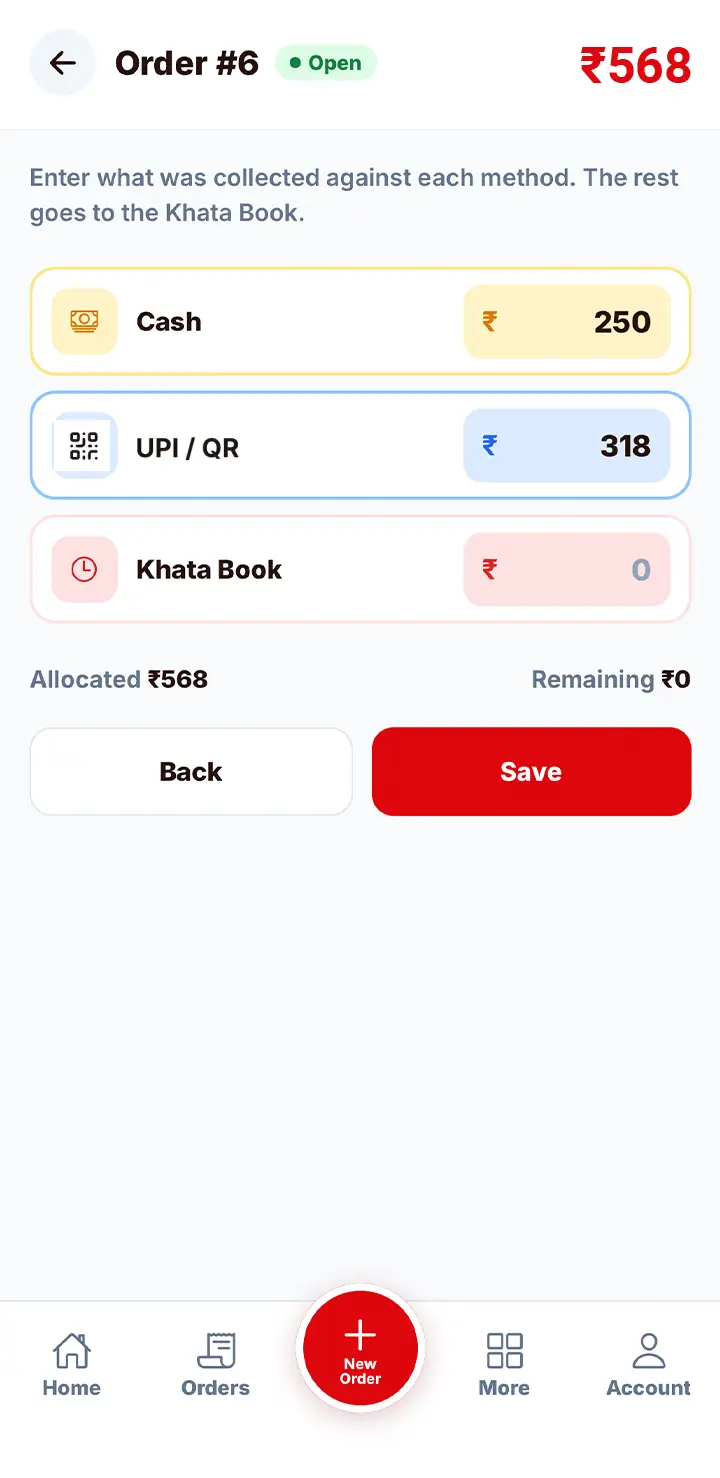
A family pays half in cash and half by UPI. The captain picks Split, enters both amounts and shares the GST bill to their WhatsApp.
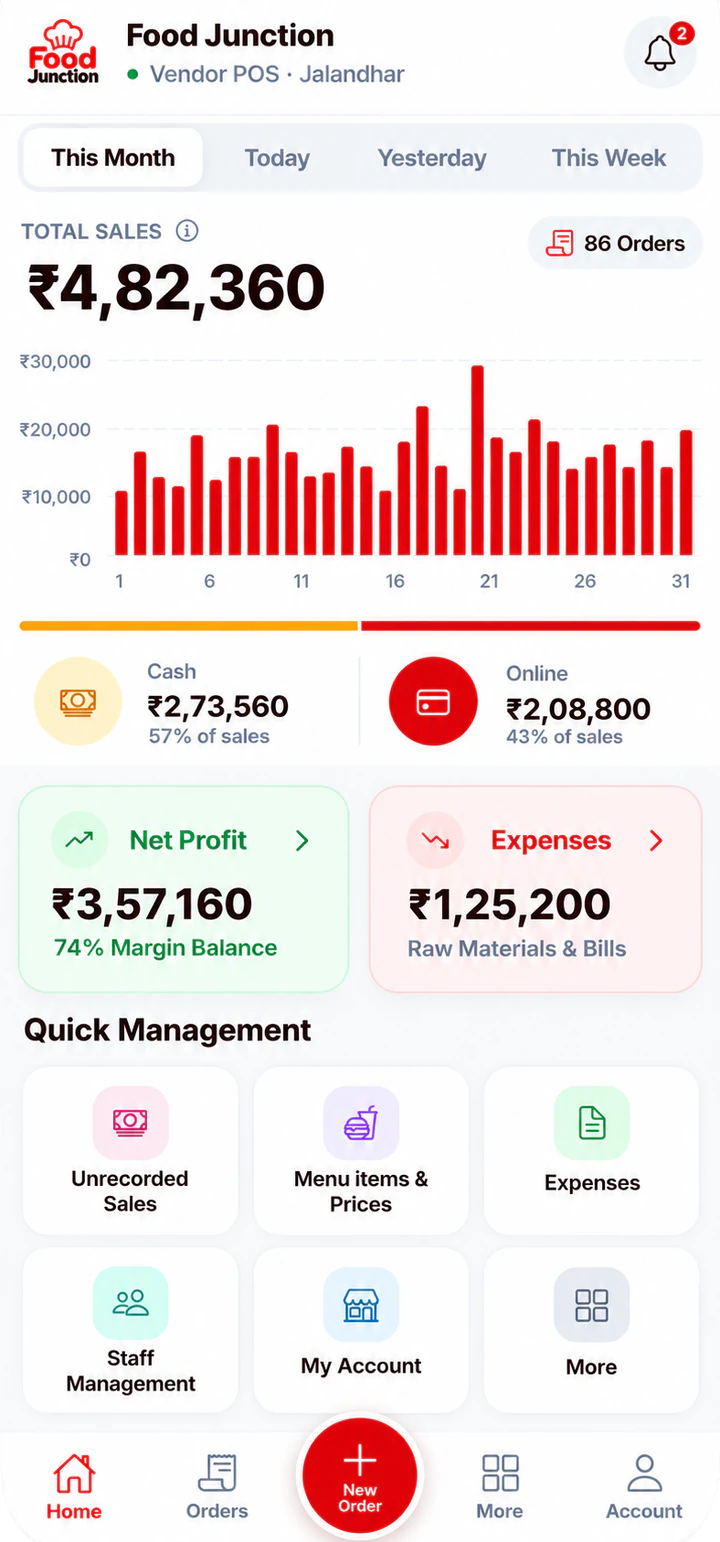
The dashboard shows the night’s sales with cash and online side by side. You count the drawer against the cash figure and you’re done.
Restaurant Pro suits most restaurants: it adds staff logins, the Kitchen Display, GST invoices and WhatsApp bills. If you bill alone at the counter and don’t need GST invoices, Starter covers billing, payments and reports.
Compare plans →Prices exclude 18% GST. Billed monthly through UPI AutoPay.
Yes. Your menu, orders and reports are saved online, so every device on your account sees the same data and nothing is lost if a phone breaks.
Yes, on Restaurant Pro. Add your GSTIN once and every bill becomes a numbered GST invoice.
Not yet. Bills are digital and can be sent to the customer’s WhatsApp on Restaurant Pro.
Starter is ₹500 a month and Restaurant Pro is ₹1,000 a month, plus 18% GST, billed monthly through UPI AutoPay.
One POS for your counter, kitchen and staff.
Read more →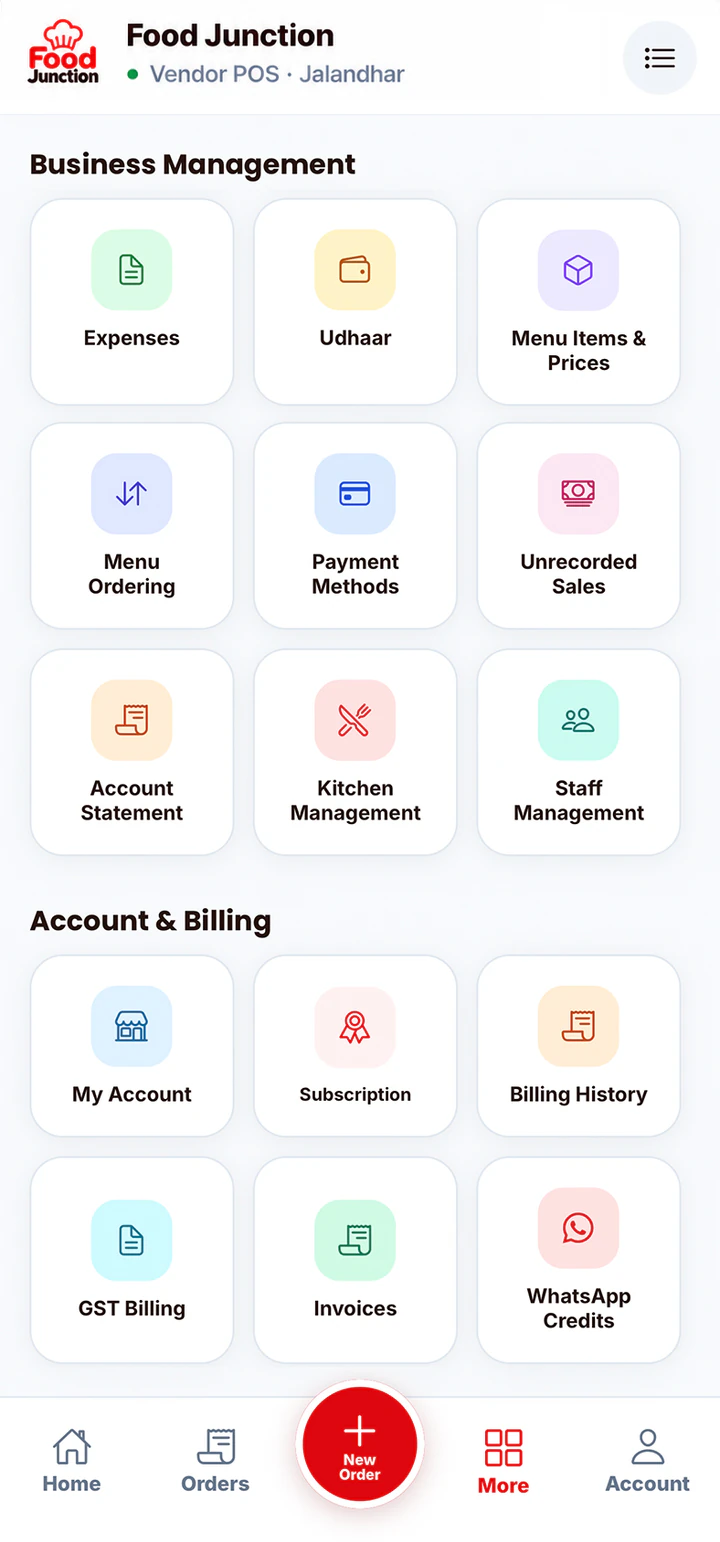
You don’t need enterprise software to run a 10-table restaurant.
Read more →In a quick service restaurant, every second at the counter is a customer waiting.
Read more →Register, add your menu and take your first order in a few minutes.